COSMODATA designs and implements comprehensive Network Infrastructure solutions for businesses that need stable, secure and scalable connectivity.
A proper network architecture directly affects:
- application performance
- Internet operation
- access to servers and cloud services
- Wi-Fi
- telephony
- CCTV
- security
- availability of business systems
For this reason, the network should not be treated as a set of switches and cables.
It must be designed as the core infrastructure on which the entire IT environment rests.
Network Study & Design
Every project begins with a survey of the actual needs.
We assess:
- number of users
- number of devices
- application type
- server infrastructure
- cloud services
- Internet requirements
- Wi-Fi requirements
- VoIP / PBX
- CCTV
- remote access
- branch connectivity
- security requirements
- future growth
The design takes into account not only the current situation but also the organization's next phase of growth.
Network Assessment
In existing installations, we can carry out a technical assessment of the network.
The following are examined:
- switches
- routers
- firewalls
- uplinks
- cabling
- VLANs
- Wi-Fi
- Internet connections
- IP addressing
- bottlenecks
- single points of failure
- outdated equipment
so that problems are identified and an organized upgrade can be planned.
Switching Infrastructure
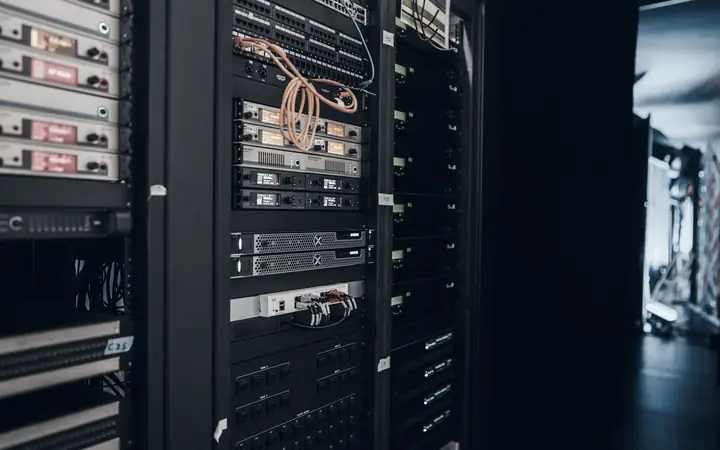
Switches are a core component of the corporate LAN.
We can design and implement:
- access switches
- core switches
- aggregation switches
- PoE switches
- managed switches
- stackable switches
- redundant switching
based on performance and availability requirements.
Core & Access Architecture
In larger environments, the network architecture can be organized in distinct layers.
Indicatively:
or in more compact environments:
A proper architecture facilitates:
- troubleshooting
- scalability
- redundancy
- segmentation
- performance management
VLAN Segmentation
Logically dividing the network into VLANs increases both organization and security.
Separate networks can be created for:
- users
- servers
- voice
- printers
- CCTV
- IoT
- guest Wi-Fi
- management
- access control
so that different types of devices do not communicate with each other in an uncontrolled way.
Network Security
Security must be built into the network design.
The following can be applied:
- network segmentation
- ACLs
- firewall policies
- secure management
- isolated guest networks
- restricted device communication
- VPN
- access control
- logging
so that the infrastructure supports the principle of least privilege.
Firewall Infrastructure
The firewall is a critical control point between the corporate network and external networks.
The solutions can include:
- Internet security
- NAT
- VPN
- intrusion prevention
- web filtering
- application control
- geo restrictions
- security policies
- traffic logging
with proper design so that security does not create unnecessary problems in daily operations.
Internet Connectivity
An Internet connection is now a business-critical service.
We can design:
- primary Internet
- secondary Internet
- dual WAN
- automatic failover
- 4G / 5G backup
- load balancing
- dedicated links
- business broadband
based on the required level of availability.
Dual WAN & Failover
For businesses that cannot depend on a single connection, two different providers can be used.
The logic can be:
so that a telecom provider failure does not cause a complete outage of operations.
WAN Infrastructure
For businesses with multiple sites, we can design connectivity between:
- of head offices
- of branches
- of stores
- of hotels
- of warehouses
- remote offices
with the goal of secure and stable communication between installations.
Site-to-Site VPN
The different sites can be connected through secure VPN tunnels.
This way, users can have access to:
- central servers
- ERP
- shared files
- PBX
- internal applications
- monitoring
- management systems
as if they were in the same corporate environment.
Remote Access VPN
Remote users can gain secure access to internal services.
Access can be designed with:
- VPN
- MFA
- role-based access
- restricted network access
- logging
so that the user sees only the systems they actually need.
SD-WAN
In more complex multi-site environments, the use of SD-WAN can be evaluated.
It can help with:
- centralized management
- multiple Internet connections
- application-aware routing
- automatic failover
- site connectivity
- simplified branch management
depending on the requirements and architecture of the business.
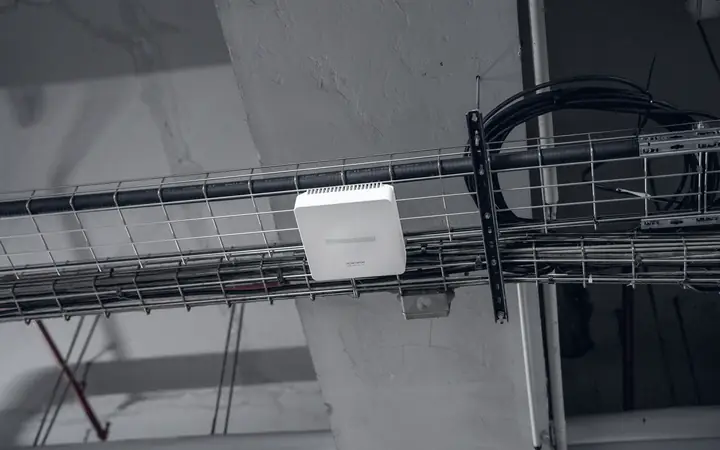
Wi-Fi Infrastructure
The wireless network must be part of the overall network design.
The installation can include:
- Access Points
- controller
- corporate SSID
- guest SSID
- VLAN integration
- roaming
- PoE
- coverage planning
- capacity planning
so that Wi-Fi operates as true corporate infrastructure and not as mere Internet access.
PoE Infrastructure
Power over Ethernet allows many devices to be powered through the network cable.
It can be used for:
- Access Points
- IP Phones
- IP Cameras
- Door Controllers
- IoT Devices
- Meeting Room Equipment
Switch selection must take the total PoE power budget into account.
Fiber Backbone
For high speeds, longer distances, or connections between racks and floors, optical fiber can be used.
Indicative uses:
- core uplinks
- rack-to-rack
- floor-to-floor
- building-to-building
- server room backbone
with the ability to support high bandwidth requirements.
Redundant Uplinks
In critical installations, more than one path can be designed between key network components.
The following can be used:
- dual uplinks
- link aggregation
- redundant core links
- redundant fiber paths
so that an isolated failure does not cause the loss of an entire segment of the network.
High Availability
For high-demand environments, redundant architectures can be designed for:
- firewalls
- core switches
- Internet connections
- uplinks
- power supplies
with the goal of reducing single points of failure.
Network Performance
A proper architecture must ensure that the network is not a bottleneck.
The following are assessed:
- bandwidth
- latency
- packet loss
- uplink capacity
- switch utilization
- Internet usage
- application requirements
so that critical applications run properly.
Quality of Service
In environments with VoIP, video conferencing or critical applications, Quality of Service (QoS) may be required.
Priorities can be assigned to:
- VoIP
- PBX
- Microsoft Teams
- video
- critical applications
so that increased data traffic does not degrade critical services.
IP Addressing & Network Planning
A proper IP architecture simplifies management and growth.
The following can be organized:
- subnets
- VLAN addressing
- DHCP ranges
- static assignments
- network reservations
- management networks
with a unified and documented design.
DHCP & DNS Infrastructure
Services such as DHCP and DNS are essential for the proper operation of the network.
We can organize:
- IP assignment
- DHCP scopes
- reservations
- internal DNS
- forwarders
- redundancy where required
so that devices connect and communicate properly.
Network Management
Active network infrastructure must be centrally manageable.
The following can be organized:
- device management
- firmware
- configuration
- port management
- VLANs
- backups configuration
- user access
- alerts
so that changes are made in a controlled manner.
Network Monitoring
Continuous monitoring helps detect problems early.
The following can be monitored:
- switch availability
- firewall availability
- WAN status
- uplinks
- interface errors
- bandwidth
- packet loss
- latency
- device health
so that support becomes more proactive.
Alerting
When a significant problem occurs, alerts can be created for:
- device offline
- WAN failure
- high utilization
- uplink failure
- interface errors
- critical temperature
- power issue
so that the technical team is notified immediately.
Network Documentation
Every professional network must be documented.
The following can be delivered:
- network diagrams
- IP addressing plan
- VLAN documentation
- switch inventory
- firewall information
- WAN links
- rack diagrams
- uplink mapping
- device naming
so that the infrastructure can be properly supported in the future.
Configuration Backup
The configurations of core network devices must be protected.
Configuration backups can be maintained for:
- switches
- firewalls
- routers
- controllers
so that a fault or incorrect change does not require a complete reconfiguration from scratch.
Naming Standards
In larger networks, proper naming conventions help significantly.
Standards can be applied for:
- switches
- access points
- firewalls
- racks
- locations
- VLANs
- ports
so that the infrastructure remains understandable as it grows.
Multi-Site Network Standards
For businesses with many sites, common network standards can be created.
Every installation can follow a common logic for:
- IP ranges
- VLANs
- device naming
- Wi-Fi
- firewalls
- switch configurations
- monitoring
so that management is simpler and more predictable.
Branch Infrastructure
For smaller branches, standardized network deployments can be designed.
Indicatively:
with central management and monitoring.
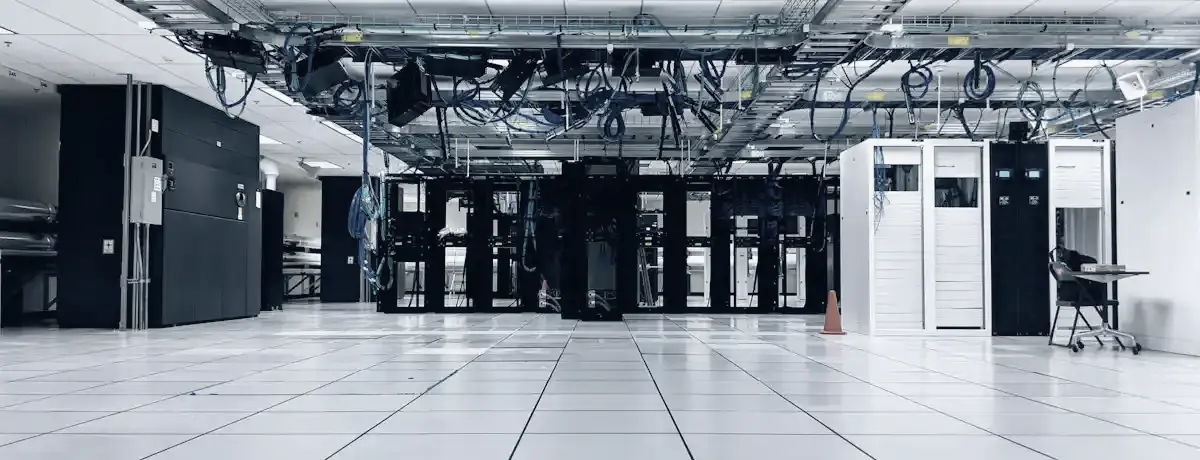
Server Room Networking
In server rooms we can design:
- core switching
- server connectivity
- storage networking
- redundant uplinks
- management networks
- fiber connections
- rack interconnections
with the goal of high performance and availability.
Virtualization Networking
In virtualized environments, special network settings may be required for:
- VMware
- Hyper-V
- virtual switches
- storage networks
- management networks
- VM traffic
- backup networks
so that different workloads run correctly and securely.
Storage Networking
In environments with NAS or SAN, suitable networks can be designed for:
- storage traffic
- backup
- replication
- virtualization
with appropriate bandwidth and separation from everyday user traffic.
CCTV Network Infrastructure
IP CCTV systems can create significant network load.
For this reason, the following may be required:
- dedicated VLAN
- PoE switching
- bandwidth planning
- NVR connectivity
- retention planning
- isolated access
so that CCTV does not affect the corporate network.
Voice Network
IP telephony can be organized on a separate voice network.
The following can be applied:
- Voice VLAN
- QoS
- PoE
- PBX connectivity
- SIP security
- routing
so that telephony remains stable and predictable.
Guest Networks
Guest Wi-Fi must be fully separated from the corporate LAN.
The following can be applied:
- dedicated VLAN
- Internet-only access
- client isolation
- bandwidth limits
- captive portal
so that visitors have access without exposing corporate systems.
IoT & Smart Devices
Modern installations include more and more IoT devices.
Indicatively:
- smart TVs
- sensors
- access control
- building systems
- printers
- meeting room devices
These devices must be placed in controlled network segments and not left uncontrolled on the corporate LAN.
Access Control Infrastructure
Physical access systems can also be integrated into the network infrastructure.
The following can be supported:
- door controllers
- readers
- management servers
- PoE devices
- isolated VLANs
with proper security and connectivity.
Cloud Connectivity
Cloud services increase the importance of the Internet and the WAN.
We can design the network so that it effectively supports:
- Microsoft 365
- Azure
- cloud applications
- SaaS
- cloud backup
- remote services
with proper bandwidth and redundancy.
Network Modernization
Older infrastructures can be upgraded gradually.
The process can include:
- replacement of unmanaged switches
- Gigabit / Multi-Gigabit upgrades
- fiber uplinks
- new firewall
- VLAN design
- Wi-Fi modernization
- redundancy
- monitoring
without necessarily replacing the entire infrastructure at once.
Legacy Network Cleanup
In networks that have evolved without organized planning, we often find:
- unknown switches
- unmanaged devices
- undocumented links
- different IP schemes
- abandoned cables
- loop risks
- unsupported hardware
We can carry out a survey and organized clean-up of the infrastructure.
Office Relocation
In a company relocation, the network infrastructure must be ready before users are installed.
We can organize:
- network design
- Internet
- firewall
- switching
- Wi-Fi
- cabling
- racks
- PBX
- printers
- servers
so that the transition takes place with the least possible business disruption.
New Installations
In new buildings or offices, we can design the complete network environment from the outset.
From:
Structured Cabling
up to:
so that all components follow a common architecture.
Hotels & Hospitality Networks
In hotel environments, the network may cover:
- Guest Wi-Fi
- Corporate Network
- Reception
- PMS
- POS
- PBX
- CCTV
- IPTV
- Back Office
- Meeting Rooms
- Management
with strict separation between different services and users.
Retail & Branch Networks
For stores and branches, networks can be designed for:
- POS
- ERP
- Wi-Fi
- CCTV
- PBX
- printers
- digital signage
- central connectivity
with common standards and remote management.
Warehouses
In warehouses and logistics environments, the requirements may include:
- Wi-Fi coverage
- handheld terminals
- scanners
- CCTV
- access control
- warehouse applications
- long-distance network links
with emphasis on stable connectivity in large spaces.
Testing & Commissioning
After implementation, checks are carried out to confirm that the network operates as designed.
The following can be verified:
- Internet
- VLAN communication
- DHCP
- DNS
- VPN
- failover
- Wi-Fi
- routing
- firewall rules
- uplinks
- device availability
before final delivery.
Handover
The project can be delivered with an organized handover that includes:
- topology
- diagrams
- configurations
- IP plan
- device inventory
- credentials procedure
- support information
- test results
so that the customer has a complete picture of the infrastructure.
From the Network to Business Services
The network is not the end goal.
It is the medium that allows the following to operate:
For this reason, every network project must be designed based on the services it will support.
The best network infrastructure is created when the different layers are designed together.
COSMODATA can undertake:
as a single project.
This avoids incompatibilities and piecemeal solutions.
Network infrastructure is a core part of cybersecurity.
Segmentation, firewalls, access control, secure remote access and monitoring can be integrated from the design stage.
Security is not added afterwards.
It is designed within the network.
For critical environments, the network architecture can be designed with redundancy.
Indicatively:
- dual WAN
- redundant firewalls
- redundant core switches
- dual uplinks
- secondary connectivity
- 4G / 5G backup
so that a simple failure does not cause a complete outage.
From Project to Managed Network
After handover, the infrastructure can be included in Managed IT services.
This creates continuity:
and the network remains under continuous technical supervision.
Why Professional Network Infrastructure
Stability
The network is designed for reliable day-to-day operation.
Performance
Bandwidth, uplinks and architecture are selected based on actual needs.
Security
Segmentation, firewalling and access control are built into the solution.
Availability
Redundancy and failover can significantly limit downtime.
Scalability
The infrastructure can support more users, devices and services in the future.
Easier Support
Documentation and standards reduce troubleshooting time.
Central Control
Monitoring and management provide a clear picture of the network status.
A network that does not restrict the business
COSMODATA treats Network Infrastructure as the fundamental foundation of the overall IT architecture.
From a small corporate LAN to a complex multi-site environment with redundancy, firewalls, fiber backbone, Wi-Fi, and secure WAN connectivity, we design solutions that can support the business today and evolve with it tomorrow.
Because a good network should not be noticed by the user.
It simply has to be fast, stable, secure and available when the business needs it.
Connect. Secure. Scale. Perform.